Projects
Advanced feature: The Projects section is for people building services or automated tools that use Lumen. Regular users won't need this page.
The Projects page (/projects) is where you manage application projects — named identities for services or automated processes that need their own API access.
What Is a Project?
A project is a named entity separate from your personal user account. It has its own API keys, coin pool, and usage counters. Projects are useful when you need to:
- Build an application or service that calls AI models on behalf of users
- Run automated pipelines or scripts that need stable, long-lived credentials
- Separate application usage from your personal usage and budget
- Allow a team to share access to a set of credentials without sharing anyone's personal key
Think of a project as a shared identity for automated tools: it has a name (e.g., research-bot, data-pipeline), it accumulates its own usage history, and its API keys are managed independently.
Who Can See What
| Role | Visibility |
|---|---|
| Admin | All projects in the system |
| Manager | Projects they manage |
| User | Projects they are a member of (view usage and model access, create one active API key at a time) |
See What Each Role Can Do for the full list of what each project role allows.
If you are a member of one or more projects (as owner, manager or user), you will see them listed here. If you don't see the Projects page at all, your account has not been added to any project.
Summary Cards
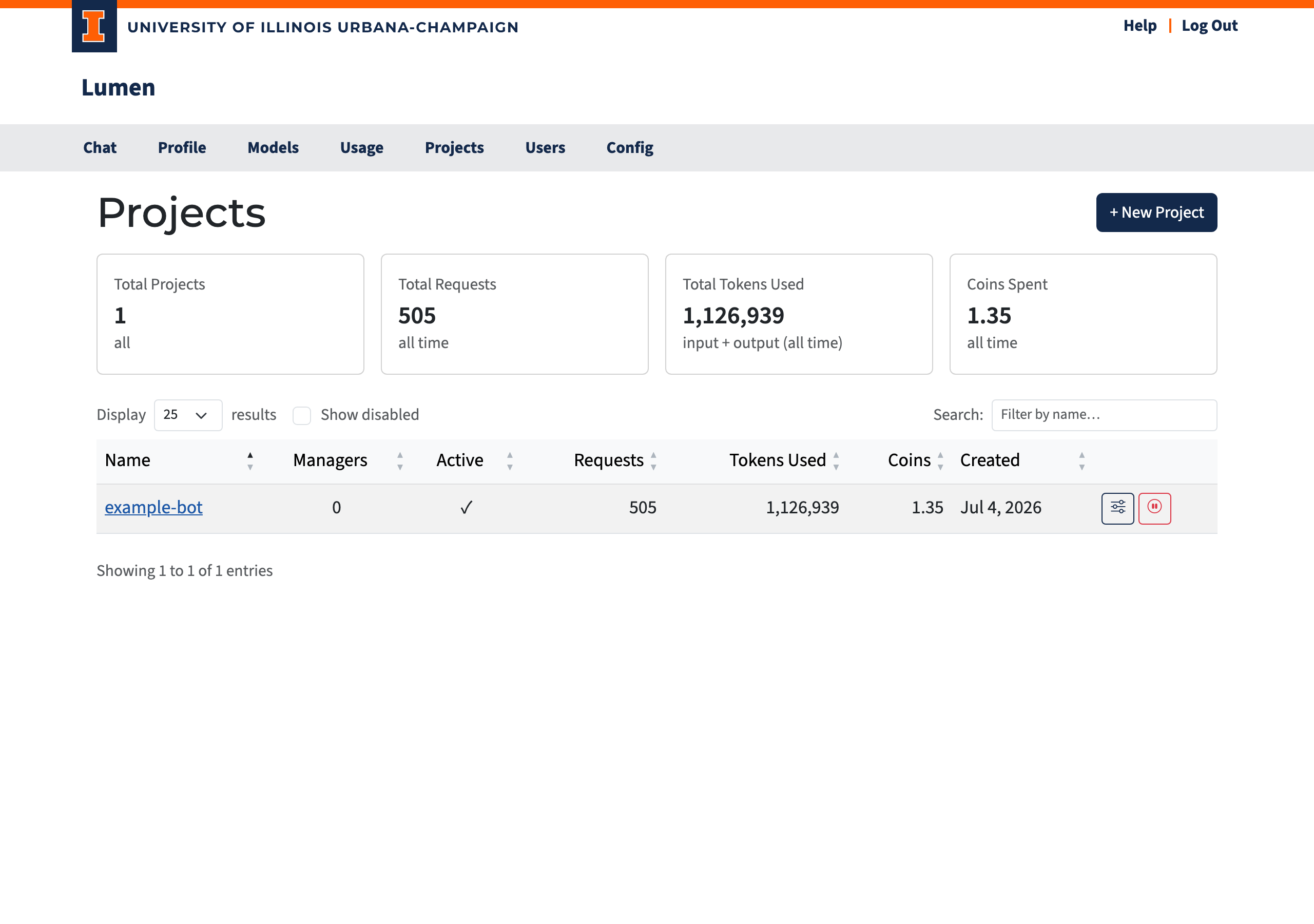
At the top of the page, four cards summarize the projects you can see:
| Card | Description |
|---|---|
| Total Projects | Number of projects visible to you |
| Total Requests | Combined API requests across all visible projects |
| Total Tokens Used | Combined input + output tokens |
| Coins Spent | Combined coin cost |
Project Table
| Column | Description |
|---|---|
| Name | Clickable link to the project detail page |
| Managers | Number of users who manage this project |
| Created | When the project was created |
| Active | Green checkmark for active, red X for deactivated |
| Last Used | When the project last made a request |
| Requests | Total API requests |
| Tokens | Total input + output tokens |
| Coins Left | Current balance (∞ = unlimited), including unlimited pools inherited from a group or the global default |
| Coins Spent | Total coins spent |
Click any column header to sort. Use the search box to filter by name.
Each row has an edit (pencil) button that opens a dialog to change the project's name and active flag (admins can also set Max Coins and Refill Rate). The button is enabled for the project's owner and for admins; other members see it disabled with a note explaining why. Admins additionally get view-usage, reset-coins (refill to the starting balance), and activate/deactivate buttons — the same actions as on the admin Users page.
Creating a Project
Admin setup: Projects are created and managed entirely through the web interface; an admin sets a project's coin budget from the Edit dialog on its detail page. See Configuring Projects for details.
Only administrators can create new projects:
- Click + New Project.
- Enter a name (e.g.,
my-service-app). - In the Owner field, search for the owner by name or email and pick them from the suggestions.
- Click Create (enabled once a name and an owner are set).
Every project must have an owner: the owner can add/remove managers, transfer ownership, and activate/deactivate the project. You will be redirected to the new project's detail page where you can set up additional managers and API keys.